
• 8/1/25 8:37 am
scheduled
- 2.3k views • 0 today
- 1
- 0
58
Modding Valheim traditionally requires each player to install mods locally, but today, we’re taking a completely different route. With Expand World Prefabs (EWP), it’s possible to create custom, fully scripted experiences that run entirely on the server. Players can join with a completely vanilla Valheim client without any mods and still experience mechanics, events, and systems that feel nothing like standard Valheim.
To do this effectively, there are two key constraints to understand. These do not restrict creativity; they define the space we work within. Once you learn how to work with them, you’ll start to see that you can use EWP to create nearly anything you can imagine.
First of all, you can only use assets that already exist in the base game. This includes models, visual effects, sound effects, enemy behaviors, attacks, and ambient events. Fortunately, Valheim is packed with hundreds of high-quality assets, and with some creativity, you can combine and reconfigure them in ways that feel entirely new.
Secondly, the server cannot directly access or manipulate anything that only exists on the player’s client. This includes things like the player’s inventory, skill levels, and other client-local data. However, the server is able to respond to world interactions such as object placement, triggers, crafting activity, movement, destruction, and more. These become the foundation for building fully reactive systems.
Beyond those two rules, almost anything is possible. Its all about finding creative ways to approach the systems that already exist in Valheim.
If you want to see what this looks like in action, come play on Path of Magic, a public Valheim server that demonstrates what is possible with Expand World Prefabs. Every feature and script used on the server is freely available in Jere’s Valheim World Editing Discord, and anyone is welcome to use them for personal worlds, creative projects, or full-scale server builds.
Watch along to learn how to get started with EWP, and then dive into Path of Magic to see what a fully custom, vanilla-compatible Valheim world really feels like.
To do this effectively, there are two key constraints to understand. These do not restrict creativity; they define the space we work within. Once you learn how to work with them, you’ll start to see that you can use EWP to create nearly anything you can imagine.
First of all, you can only use assets that already exist in the base game. This includes models, visual effects, sound effects, enemy behaviors, attacks, and ambient events. Fortunately, Valheim is packed with hundreds of high-quality assets, and with some creativity, you can combine and reconfigure them in ways that feel entirely new.
Secondly, the server cannot directly access or manipulate anything that only exists on the player’s client. This includes things like the player’s inventory, skill levels, and other client-local data. However, the server is able to respond to world interactions such as object placement, triggers, crafting activity, movement, destruction, and more. These become the foundation for building fully reactive systems.
Beyond those two rules, almost anything is possible. Its all about finding creative ways to approach the systems that already exist in Valheim.
If you want to see what this looks like in action, come play on Path of Magic, a public Valheim server that demonstrates what is possible with Expand World Prefabs. Every feature and script used on the server is freely available in Jere’s Valheim World Editing Discord, and anyone is welcome to use them for personal worlds, creative projects, or full-scale server builds.
Watch along to learn how to get started with EWP, and then dive into Path of Magic to see what a fully custom, vanilla-compatible Valheim world really feels like.
More like this

 How to Setup a Valheim Server With Expand World Prefabs using Zap HostingTutorial Article
 JP Valheim
•7/18/25 8:13
1.3kx 11
JP Valheim
•7/18/25 8:13
1.3kx 11
 Demonstrating Valheim Expand World Prefabs - Panel from ValCon 2025Tutorial ArticleJP Valheim
•7/19/25 8:17
843x 11
Demonstrating Valheim Expand World Prefabs - Panel from ValCon 2025Tutorial ArticleJP Valheim
•7/19/25 8:17
843x 11
3023
6







 Franco Petrielli


 Fluffy-n-Dana
 smskcntr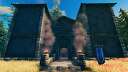
 ThradMatthias

Have something to say?